
Operations
How to Reduce Kiosk Abandonment Rates in QSR and Fast-Casual Restaurants
7 min read
Operations
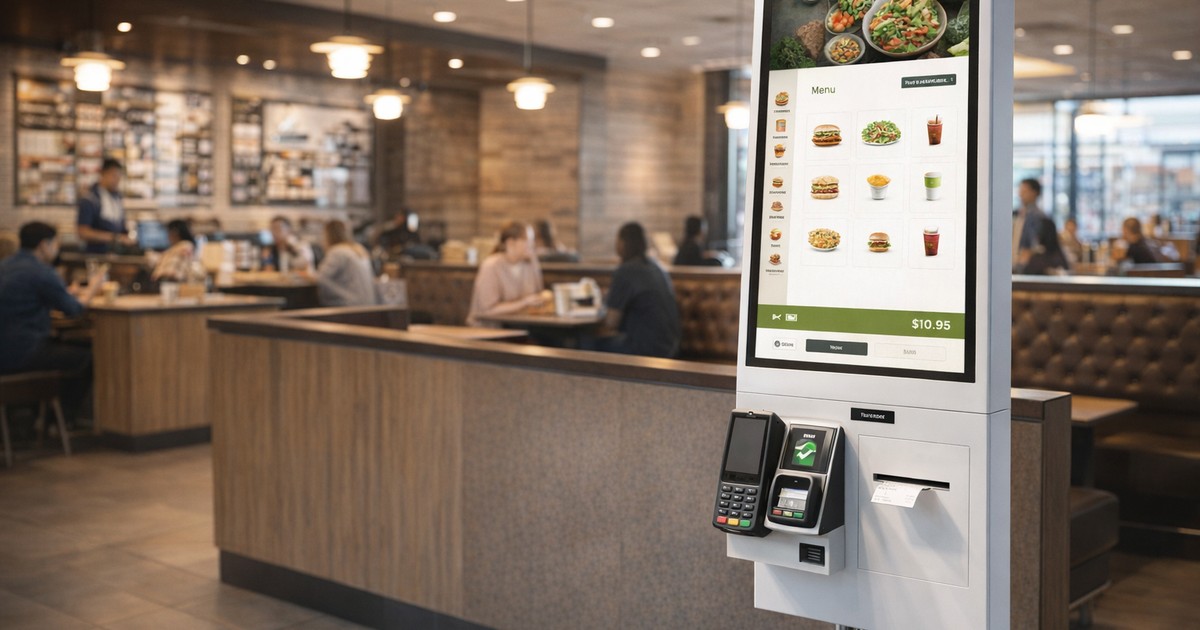
Self-service kiosks have become table stakes in QSR and fast-casual operations. Yet a troubling new statistic from 2026 reveals a critical vulnerability: 53% of QSR frontline workers report seeing customers walk away from orders due to kiosk-related tech issues, according to Canopy's latest Restaurant Tech Report surveying over 500 employees from major chains including McDonald's, Chick-fil-A, and Domino's.
Even more concerning? More than half (56%) of QSR workers say they're pulled off regular duties daily to troubleshoot kiosk problems—a clear signal that abandonment isn't just a customer experience issue, it's an operational drain impacting labor efficiency and revenue.
For VP-level technology and operations leaders managing multi-location restaurants, kiosk abandonment represents lost revenue, frustrated guests, and wasted capital investment. The good news: abandonment is preventable when you address the root causes systematically.
This guide breaks down the leading drivers of kiosk abandonment and the proven strategies that increase order completion rates, backed by the latest 2026 industry research.
Before solving abandonment, you need to understand where and why customers disengage.
The Canopy report found that 48% of QSR employees have witnessed customers abandon orders due to tech outages. Drive-thru staff reported even higher rates, with 54% seeing abandonment from tech faults at the window.
Common technical failure points include:
When your kiosk can't complete a transaction reliably, customers don't wait—they leave or revert to the counter, defeating the efficiency gains kiosks were deployed to achieve.
Research shows that 50% of customers abandon checkout processes that take longer than 30 seconds. In kiosk environments, every second of friction compounds.
UX-driven abandonment stems from:
Studies on kiosk interface design found that users prefer specific, clear designs with focused information presentation—vague or cluttered screens significantly increase customization errors and abandonment.
Half of surveyed QSR workers observed customers abandoning mobile orders, compared to just 29% at restaurants without mobile apps. This counterintuitive finding points to integration problems: when mobile, kiosk, and counter systems don't sync seamlessly, customers experience order failures, duplicate charges, or missing loyalty points—and they abandon the channel.
Disconnected systems create friction that costs money. Modern kiosks must integrate smoothly with:
Integration isn't optional—it's foundational. Kiosks that can't communicate reliably with your POS, KDS, and payment processor create the technical failures driving 48% of observed abandonments.
What enterprise operators should require:
XPRPOS kiosks integrate natively with Oracle Simphony, Brink, Heartland, and other leading POS platforms, with payment support for FreedomPay, Adyen, and Datacap—ensuring orders flow seamlessly from kiosk to kitchen without manual intervention or system handoffs that introduce failure points.
Task completion rate—the percentage of users who successfully finish their intended action—is the most critical kiosk UX metric. High error and abandonment rates signal a confusing interface or frustrating user journey.
Design principles that reduce abandonment:
Restaurants that prioritize kiosk UX report order processing times dropping by up to 40% and queue times shrinking 25–40%—speed improvements that directly correlate with lower abandonment.
The fact that 81% of frontline workers are regularly pulled off other duties to fix kiosk issues—56% on a daily basis—reveals a reactive, manual approach to kiosk management that's unsustainable.
Shift to proactive monitoring:
When you can identify and resolve technical failures before customers encounter them, you eliminate the largest driver of abandonment.
One counterintuitive benefit of kiosks: customers spend 30% more on average when ordering via self-service, driven by add-on items prompted by digital interfaces.
But upselling must be smart and fast—prompts that slow checkout or feel intrusive increase abandonment.
Best practices for kiosk upselling:
When done well, AI-driven upselling boosts revenue without extending order time—reducing wait by just seven seconds has been shown to boost sales by approximately 1%.
With 42% of consumers using kiosks at least weekly and 72% now comfortable with self-service, expectations are high—and shaped by mobile and web experiences.
Why consistency matters:
Cloud-based platforms that centralize menu management, pricing, promotions, and loyalty across all ordering channels eliminate the disconnects that frustrate customers and drive them away.
For VPs of Technology and Operations managing QSR or fast-casual chains, kiosk abandonment isn't just a guest experience problem—it's a revenue and efficiency issue.
The math is straightforward:
Reducing abandonment requires treating kiosks as integrated, mission-critical systems—not standalone devices.
XPRPOS kiosks are built for high-volume, multi-location operators who can't afford downtime or poor UX.
What sets XPRPOS apart:
The result: higher order completion rates, lower abandonment, and kiosks that actually deliver the efficiency and revenue gains you deployed them to achieve.
If you're seeing signs of kiosk abandonment—long counter lines despite available kiosks, frequent staff troubleshooting, or lower-than-expected kiosk transaction volume—it's time to audit.
Questions to ask:
XPRPOS can help you answer these questions and implement a kiosk strategy that maximizes completion rates and revenue.
Ready to reduce abandonment and unlock the full ROI of self-service?
Request a demo to see how XPRPOS kiosks deliver seamless ordering experiences that keep customers engaged from tap to transaction.
Sources:
Ready when you are
Book a 30-minute demo. We’ll set it up with your menu, your brand colors, and the full ordering-to-kitchen flow on your POS — not a generic walkthrough.