
Technology Strategy
From Show Floor to Deployed: The 90-Day Kiosk Pilot Playbook for Post-NRA Decision Makers
9 mins read
Technology Strategy
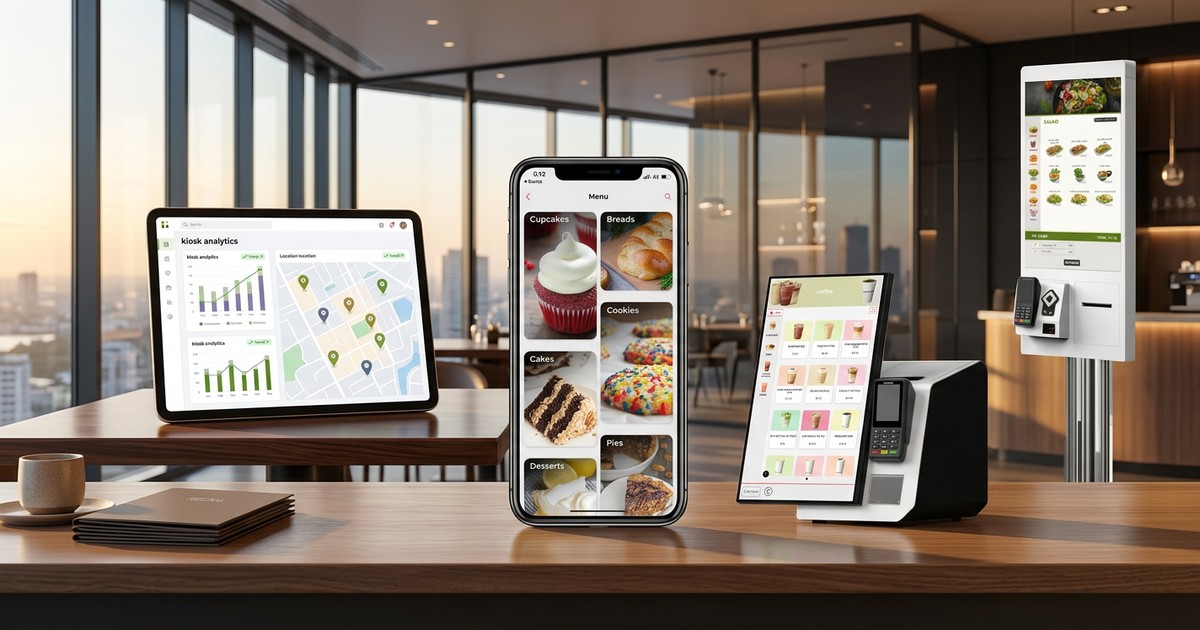
You walked the floor at McCormick Place. You scanned badges, watched demos, and collected enough branded USB drives to fill a desk drawer. Between the NRA Show's North and South Halls, you likely saw upwards of 20 kiosk solutions, each promising transformative throughput, effortless upselling, and seamless integration.
Now you are back at the office, and the question staring at you from your Monday morning inbox is painfully concrete: which vendor, which locations, and how do we prove this works before committing seven figures?
This kiosk pilot playbook gives you a structured 90-day framework to move from show-floor enthusiasm to a data-backed scale decision. Whether you oversee technology strategy for a 50-unit fast-casual brand or F&B operations across a multi-venue enterprise, the phases below will keep your pilot disciplined, measurable, and defensible to the C-suite.
The single biggest mistake teams make after a trade show is jumping straight to procurement. Before you sign a single SOW, invest two weeks in defining what "success" actually looks like for your organization.
Your pilot needs quantitative gates, not vague sentiment. Align your stakeholders around four core metric categories:
Set specific numeric targets for each metric before the pilot begins. Write them down. Share them with your vendor. These become your go/no-go criteria in Week 9.
Resist the temptation to pilot in your flagship store. Your highest-performing location will make almost anything look good, and the results will not generalize across your portfolio.
Instead, choose locations that represent your operational reality:
This mix gives you data across the conditions your fleet-wide rollout will actually encounter. If the pilot succeeds in these environments, you can project confidently. If you need guidance on what to look for in a vendor before reaching this stage, the QSR CTO's Guide to Evaluating Kiosk Vendors breaks down the ten questions that separate enterprise-ready platforms from demo-ready prototypes.
This is where most pilots silently fail. The kiosk hardware might be polished, but if integration with your existing stack is stitched together with workarounds, you will spend the next eight weeks troubleshooting instead of measuring.
Your kiosk platform must integrate bidirectionally with your POS. Whether you run Oracle Simphony, Brink POS, Heartland, or another enterprise system, validate the following before a single kiosk ships:
Confirm support for your existing payment processor and all tender types your guests expect: EMV chip, contactless/NFC, mobile wallets, gift cards, and loyalty point redemption. Payment certification timelines can add weeks if not addressed early.
Define how kiosk orders route through your kitchen. Do they enter the same queue as counter orders? Do they get a dedicated prep station? The routing decision directly impacts kitchen workflow and should be tested, not assumed.
For multi-location operators, centralized menu management is non-negotiable. Your kiosk platform should pull menu data, images, and promotional content from a single cloud-based CMS. This is also where kiosk-specific menu design begins — a topic covered in more depth in the XPR Discovery Feed overview, which explores how a smarter first screen can shape ordering behavior from the first tap.
Hardware is mounted. Integrations are live. Now the real work begins.
Do not wait until Week 8 to look at your data. Establish a daily reporting cadence that surfaces:
If your kiosk platform does not provide this data natively through a centralized dashboard, that is a serious red flag for fleet-scale operations. Managing reporting across hundreds of devices requires purpose-built tooling — exactly the challenge addressed by platforms like XPR Fleet Manager.
Your front-line team will surface insights that no dashboard captures. Create a lightweight mechanism — a shared channel, a weekly 15-minute standup, or a simple form — where crew members can report:
Act on this feedback weekly. A pilot that ignores crew input will produce clean data but miss the operational nuance that determines real-world viability.
This is one of the most overlooked opportunities in a kiosk pilot. Kiosk ordering patterns differ meaningfully from counter ordering patterns. Guests spend more time browsing, they respond to visual cues, and they are more receptive to upsell prompts when there is no perceived social pressure.
Use weeks 5–8 to test:
The data you collect here informs not just your pilot evaluation but your menu strategy for full deployment.
Your pilot has produced eight weeks of operational data across multiple location profiles. Now you need to convert that data into a decision the executive team can act on.
Return to the KPI targets you defined in Week 1. Evaluate each metric against its threshold:
| Metric | Target | Pilot Result | Status |
|---|---|---|---|
| Throughput lift (peak hour) | +15% | [Measured] | Go / No-Go |
| AOV lift vs. counter | +12% | [Measured] | Go / No-Go |
| Labor hours reallocated | 20 hrs/week/location | [Measured] | Go / No-Go |
| Guest satisfaction (NPS delta) | Neutral or positive | [Measured] | Go / No-Go |
Be rigorous. A pilot that hits three of four targets is a conversation. A pilot that hits one of four is a pivot, not a scale decision.
Your per-unit hardware cost is the easy number. The TCO model that matters includes:
Your pilot data is your strongest negotiating asset. Use it:
Even well-structured pilots can produce misleading results. Watch for these patterns:
Choosing your best-performing location. Your flagship store is a controlled environment that flatters every technology it touches. Pilot in locations that represent your median, not your ceiling.
Insufficient staff training. A kiosk that crew members do not understand is a kiosk they will not champion. Guests take behavioral cues from staff. If your team is indifferent to the kiosk, your guests will be too. Allocate dedicated training time before go-live and refresher sessions at the midpoint.
Ignoring kiosk-specific menu design. Porting your counter menu to a kiosk without adaptation is like printing your desktop website on a mobile screen. Kiosks demand deliberate information architecture: category hierarchy, image quality, modifier sequencing, and upsell placement all need to be designed for the self-service context.
Running too short a pilot. Four weeks is not enough. Guest behavior takes time to normalize. Your first two weeks of live data will reflect novelty effects, not steady-state performance. Ninety days gives you the signal quality a rollout decision demands.
The 2026 landscape is clear: self-ordering kiosks are no longer experimental technology. They are operational infrastructure. The question is not whether to deploy, but how fast you can move from pilot to production without sacrificing data quality or operational readiness.
A structured kiosk pilot playbook protects you from the two most common failure modes — moving too fast without data, or moving too slow while competitors capture the throughput and AOV gains that kiosks reliably deliver.
Ready to start your 90-day pilot? XPRPOS provides the enterprise kiosk platform, POS integrations, fleet management tooling, and deployment expertise to take you from pilot planning to fleet-wide rollout. Request a pilot scoping session with the XPR team and put your NRA notes to work.
Ready when you are
Book a 30-minute demo. We’ll set it up with your menu, your brand colors, and the full ordering-to-kitchen flow on your POS — not a generic walkthrough.