
Technology Strategy
The 50–500 Unit Operator's Playbook: How Mid-Market Chains Are Finally Catching Up on Enterprise Kiosk Technology
10 min read
Technology Strategy
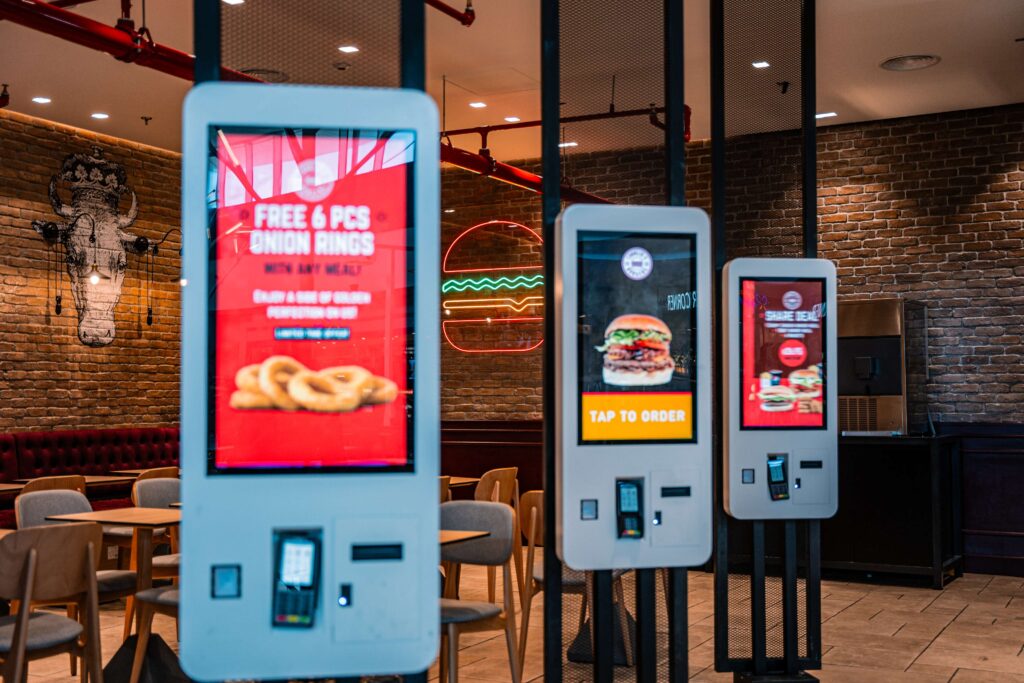
For most of the last decade, the self-ordering kiosk story belonged to the top of the market. The largest national chains had the engineering teams, the capital budgets, and the negotiating leverage to build kiosk programs from scratch, and they did. Everyone else watched.
If you run a chain with 50 to 500 locations, you know the position well. A regional burger brand with 140 stores. A fast casual concept expanding into its third state. A franchise group operating 80 units of somebody else's brand. You have seen the throughput and check lift numbers. You have watched guests at the big chains walk straight past the counter to a screen. And you have probably concluded, at least once, that a kiosk program at your scale would cost too much, take too many people, and break against your POS.
That conclusion was reasonable five years ago. It is not reasonable today. Mid-market restaurant chain kiosk deployment has become practical because the three barriers that kept these operators out of the market have each come down at the same time.
This playbook walks through those three barriers, what changed, and what a realistic first-year program looks like for a 100-location chain.
Early enterprise kiosk programs were built for enterprise buyers. They assumed custom software, long integration projects, dedicated product teams, and pilots priced like capital projects. That model works when you have 2,000 stores to spread the cost across and a technology organization measured in dozens of people.
A 50 to 500 unit operator has a different shape:
The enterprise kiosk model asked these teams to behave like a company ten times their size. Most sensibly declined. Here is what was stopping them, and what has changed.
What it used to look like. A traditional floor-standing kiosk with an integrated payment terminal, receipt printer, and custom enclosure was a significant hardware purchase on its own. Multiply that by two or three kiosks per location, add installation, electrical, and network work, and a 100-location rollout became a large capital line before a single order was placed. Add software that was often licensed with substantial upfront development or setup fees, and the business case had to clear a very high bar.
What changed. Three shifts have changed the math:
The practical result is that a mid-market chain can now match the hardware to each location rather than buying the most expensive configuration everywhere. A high-volume urban store might justify three floor-standing kiosks. A suburban store with a small counter might be well served by two countertop units. That flexibility alone changes the economics of a fleet.
What it used to look like. An early kiosk program required in-house project management, store-by-store menu configuration, on-site device setup, and a help desk prepared to field calls from every location. For a team of four already supporting POS and network issues, adding 200 or 300 new devices was simply not a realistic ask.
What changed. The work that used to land on internal IT has largely moved into the platform and the vendor:
The mid-market lesson here is to be explicit about who owns what before you sign. A simple ownership split keeps a small IT team from absorbing work it never planned for:
| Responsibility | Vendor | Your team |
|---|---|---|
| POS integration and testing | Owns | Reviews and approves |
| Kiosk menu build and design | Owns | Supplies menu, brand, and pricing decisions |
| Device configuration before shipping | Owns | Confirms store list and hardware mix |
| Site readiness (power, network drop, placement) | Advises | Owns |
| Store training | Supplies materials and go-live support | Owns delivery through operations |
| Fleet monitoring and software updates | Owns | Receives alerts and reports |
| Ongoing menu and promotion changes | Supports | Owns |
What it used to look like. Connecting a kiosk to a POS often meant middleware, custom development, or an integration that worked for simple items and broke on real menus. Nested modifiers, combo rules, daypart pricing, and promotions are where lightweight integrations fail. For a mid-market chain, a failed integration does not just delay the project. It sends orders to the kitchen that the line cannot read, and it puts the kiosk at odds with the crew from day one.
What changed. Kiosk platforms now integrate directly with the POS systems mid-market chains actually run. XPR, for example, integrates directly with PAR Brink POS, Heartland POS, Oracle Simphony, Square, POSitouch, and others. A direct integration means the kiosk reads the menu from the POS, sends orders into the same kitchen flow as counter orders, and keeps pricing consistent across channels. For more on why that matters, see the importance of a successful POS integration.
When you evaluate vendors, ask four questions that separate a real integration from a demo:
There is an upside to arriving later. Mid-market chains are adopting a mature technology rather than an experimental one. The hard lessons about kiosk menu design, placement, staff training, and fleet monitoring have already been learned at enterprise scale, and good vendors have built those lessons into their platforms.
Mid-market operators can also move faster than their larger competitors. Fewer committees, a leadership team that still walks stores, and a more consistent store footprint mean a 100-location chain can make a decision in a quarter and complete a rollout within a year. That is something a 2,000-store brand rarely manages.
The model below assumes a 100-location chain with one primary POS, an average of two kiosks per store, an IT team of three or four people, and a mix of corporate and franchise locations. Adjust the pace to your own team and footprint, but keep the shape: prove it small, standardize it, then scale.
| Phase | Months | New locations | Cumulative | Focus |
|---|---|---|---|---|
| Foundation and pilot | 1–3 | 5 | 5 | Integration, menu build, payments, pilot KPIs |
| First wave | 4–6 | 20 | 25 | Corporate stores, standard install kit, training playbook |
| Scale wave | 7–9 | 40 | 65 | Three to four stores per week, franchise onboarding |
| Completion | 10–12 | 35 | 100 | Remaining stores, finished before your peak season freeze |
Use the first quarter to build the program once, correctly. Validate the POS integration against your full menu, certify payments, design the kiosk menu (not a copy of your menu board), and go live in three to five stores with different profiles: one average store, one high-volume store, and one difficult store. Set numeric targets for throughput, average check, kiosk adoption, and guest satisfaction before go-live. Our 90-day kiosk pilot playbook covers this phase in detail.
Decision gate: do the pilot stores hit the targets you set in advance? If not, fix the cause before adding stores.
Roll out to 20 corporate stores at roughly two per week. This is where you turn the pilot into a repeatable process:
With a proven process, increase to three or four stores per week. This is the quarter to bring franchisees in. Franchisees will ask the same questions your CFO did, so give them a business case built from your own pilot and first-wave data rather than from industry averages.
Finish the remaining stores and plan the schedule around your busiest season. Most chains freeze technology changes in stores during their peak, so build the timeline backward from that date rather than forward from your start date.
You do not need a new department. A 100-location program typically runs with:
On the vendor side, expect a named implementation manager, menu and integration specialists, and a support team that monitors the fleet.
Build your cost model with every line, not just the hardware quote:
Here is a simple planning model. It is not a forecast. Replace each assumption with your own pilot data.
Assume a location with $1.2 million in annual sales, where the kiosk channel reaches 30 percent of sales after adoption settles, and kiosk orders carry a 10 percent higher average check than counter orders. That check lift is deliberately conservative: industry data commonly shows kiosk orders averaging 20 to 30 percent higher.
$1,200,000 × 30% kiosk share × 10% check lift = $36,000 in incremental annual sales per location
Across 100 stores, that is roughly $3.6 million a year at full run rate, before counting any labor that shifts from order-taking to food production and hospitality.
Year one will not capture all of it. With the staggered rollout above, the program accumulates roughly 430 location-months of live operation out of a possible 1,200, so expect about a third of full run-rate value in the first twelve months, and less once you allow for each store's adoption ramp. Year two is when the full value shows up. Present it to your CFO that way from the start, and the program will not be judged against an annual number it was never designed to hit in year one.
Buying enterprise scope you do not need. Custom app builds and bespoke features add cost and time. Most mid-market chains are better served by a proven platform configured to their brand.
Buying consumer-grade instead. A tablet on a stand with no fleet management, no direct POS integration, and no offline mode looks inexpensive until the first busy Saturday it goes down.
Treating franchisees as an afterthought. Franchisees pay for their own stores. Bring them in with a clear business case, a defined cost per store, and proof from your corporate locations.
Copying the menu board onto a screen. Kiosks need their own information design: category order, imagery, modifier sequencing, and upsell placement. This is where most of the check lift comes from.
Underestimating site work. Power and network at the counter cause more install delays than anything else. Survey every store before you schedule it.
XPR powers self-ordering for more than 100 brands across 15+ countries, including airports, national parks, stadiums, and restaurant chains. The same platform runs at every scale: direct POS integrations, a choice of kiosk hardware, centralized menu management, offline ordering, and Fleet Manager for remote monitoring.
For mid-market chains, that means enterprise kiosk technology without an enterprise-sized project. We scope programs to the size of your chain, starting with a pilot in a handful of stores and a rollout plan your team can actually run.
If you operate 50 to 500 locations and are planning your 2027 technology budget, talk to the XPR team and ask us to build a first-year program plan for your own store count, POS, and store formats.
Ready when you are
Book a 30-minute demo. We’ll set it up with your menu, your brand colors, and the full ordering-to-kitchen flow on your POS — not a generic walkthrough.